MailboxValidator MCP Server is a Model Context Protocol server that allows MCP-compatible AI assistants, such as Claude Desktop, to validate email addresses using the MailboxValidator API. With this integration, you can check whether an email address is valid, disposable, free, high risk, or potentially reachable directly from your AI assistant.
Integrating MailboxValidator MCP Server helps improve the quality of your email data by validating email addresses before they are used in sign-up forms, customer communication, marketing campaigns, CRM workflows, or other automated processes. This helps reduce bounce rates, detect fake or disposable emails, and maintain cleaner, more reliable contact data.
MailboxValidator MCP Server is also available on:
First of all, you will need to have a MailboxValidator API key. If you do not have one, you can sign up for a free MailboxValidator API key.
The setup also uses Node.js and npm, which can be downloaded at Node.js website.
You will need to install Claude Desktop too. If you haven't, kindly download from here for Windows and macOS users, or follow this guide for Linux users.
Download the repository to your local.
Run the following commands while inside the project folder to install dependencies and build the server.
npm install
npm run build
Open claude_desktop_config.json. If you don't have that file yet, follow this guide to create one.
{
  "mcpServers": {
    "mailboxvalidator": {
      "command": "node",
      "args": [
        "C:\\path\\to\\mcp-mailboxvalidator\\build\\index.js"
      ],
      "env": {
        "MAILBOXVALIDATOR_API_KEY": "<YOUR_API_KEY>"
      }
    }
  }
}
Remember to replace the path for the index.js with your actual path to your MailboxValidator MCP server on your local machine.
To get your API key, just login to your dashboard and get it from there. Replace the <YOUR_API_KEY> in the above with your actual API key.
Restart the Claude Desktop after saving the changes, and you should see it appear in the Search and tools menu.
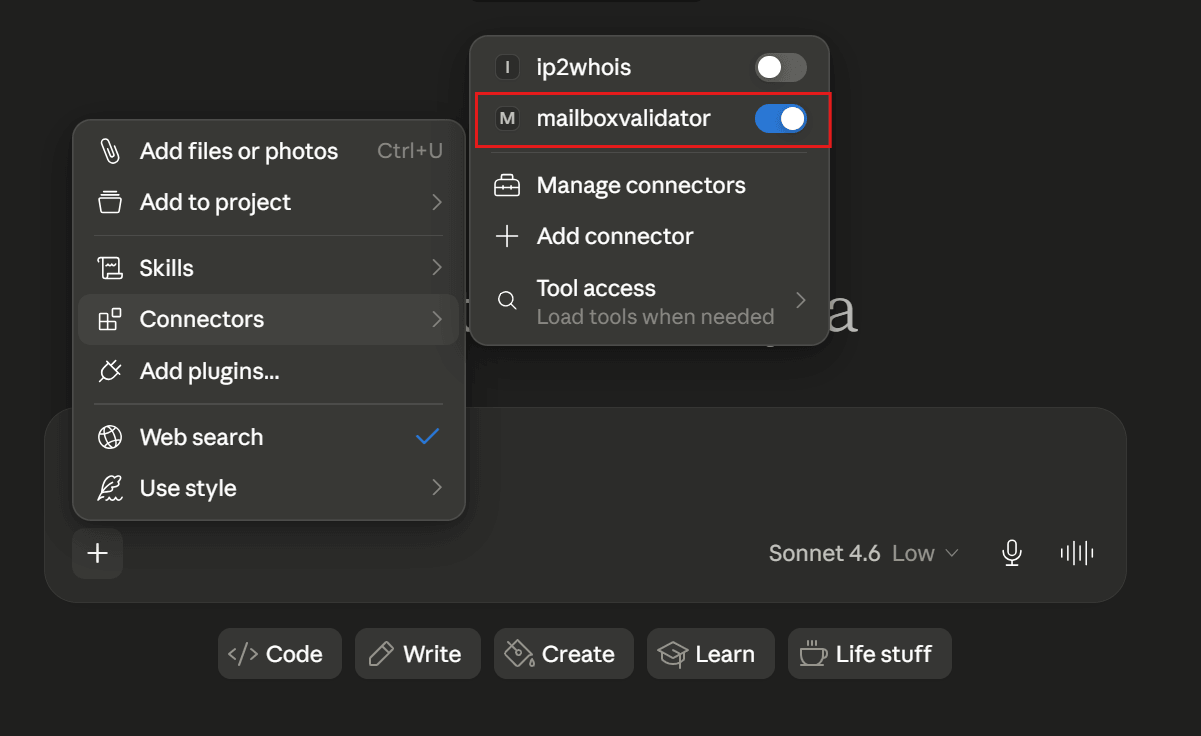
Just enter your query about the email address in a chat in Claude Desktop. Some of example queries are:
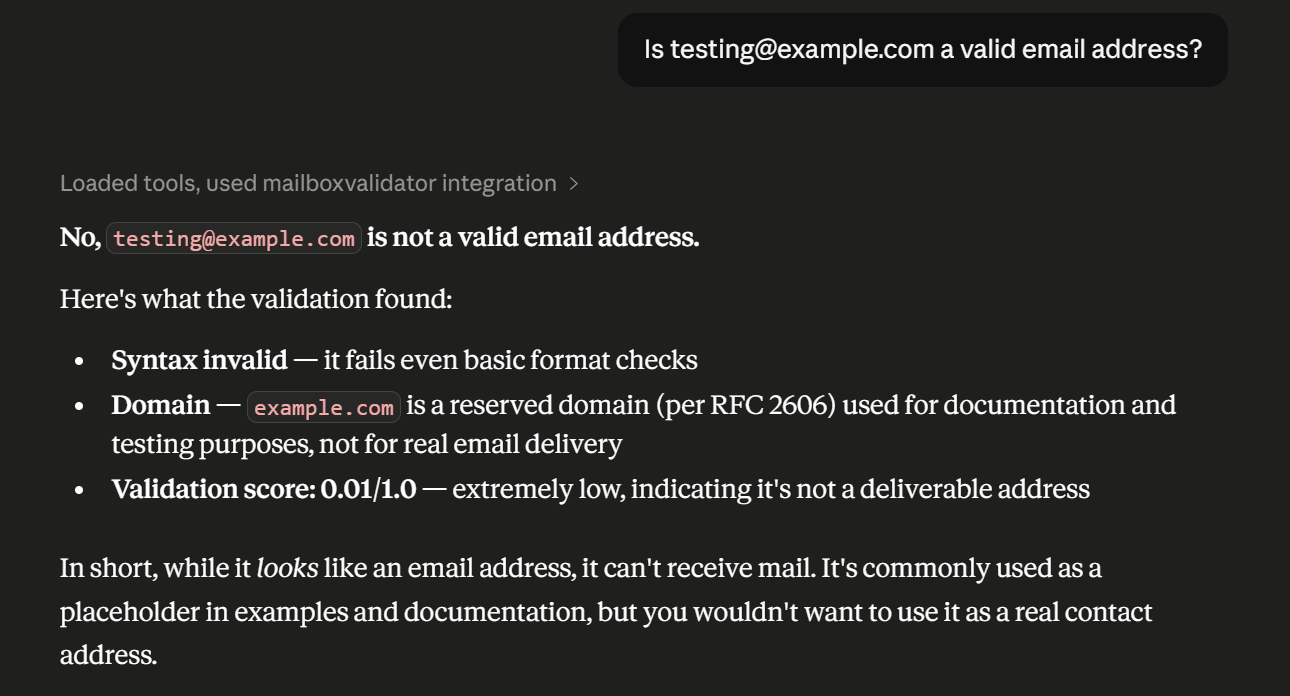
For instance, below is the result of an email:
Knowing more about MCP Server email verification integration & reduce email bounce rate in a few button clicks.

Validate and clean your email list by detecting disposable emails, invalid emails, mail server and much more.


Subscribe to our newsletter and stay up to date with the latest news and deals!
Copyright © 2013 - 2026 MailboxValidator.com. All Rights Reserved. Privacy Policy | Terms of Service | Cookie Notice